Environments
Billboards
Section titled “Billboards”To create billboards, create a plane mesh with the prefix “BB_”. Ensure that the top level grouping of the mesh is named this (ex. BB_Tree, BB_Fence_1).
Optimize Environment Models
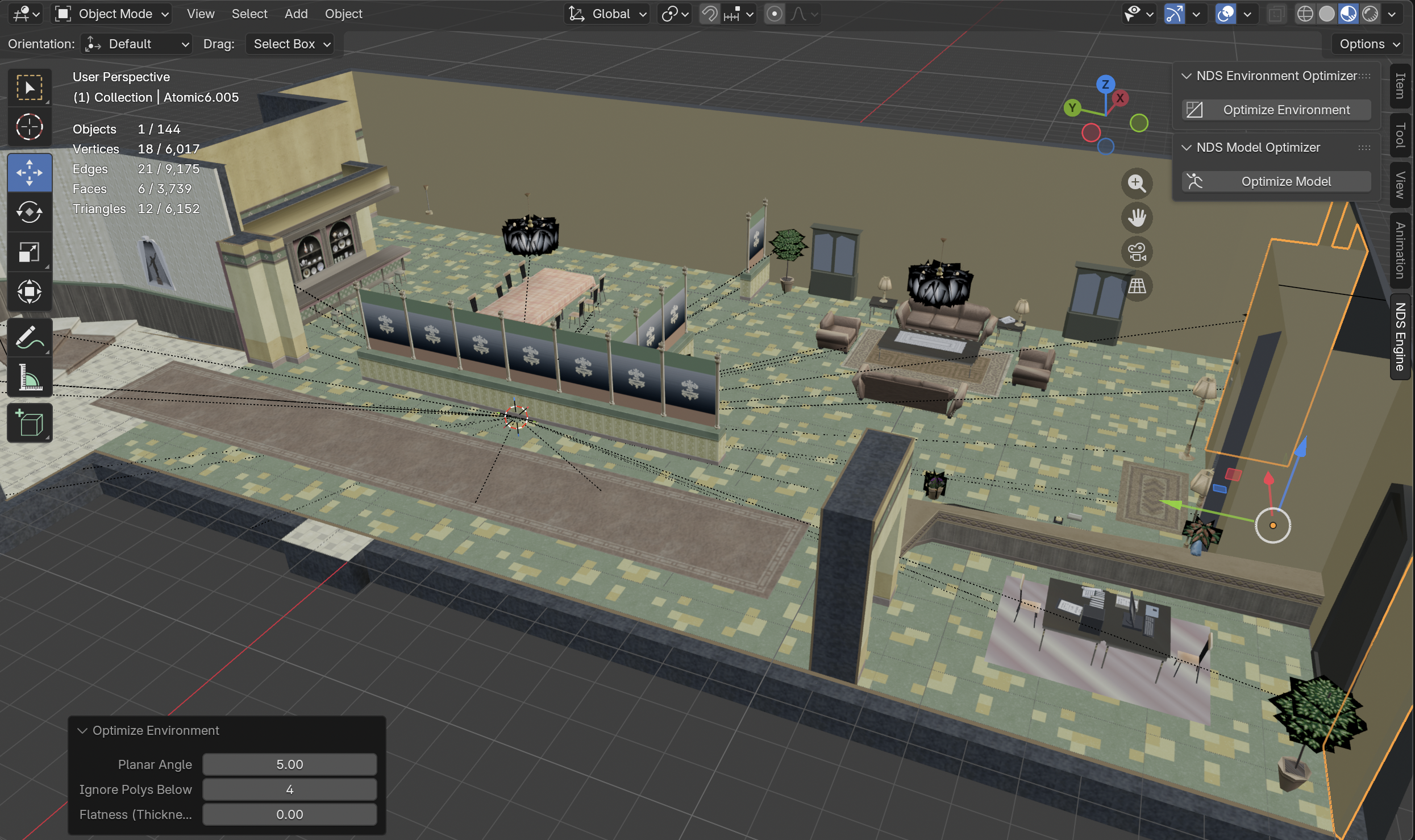
Section titled “Optimize Environment Models”To optimize environment models, install the nds_environment_optimizer.py Blender plugin in tools/plugins/blender. You need to prepare your environment model before optimizing it:
- In
Object Modeeverything (A), then go intoEdit Modeand select everything again (A) - Click the “M” key, and select Merge -> By Distance
To use the optimizer:
- Go back into
Object Modeand click “N”. On the sidebar, you should see a tab calledNDS Engine - Click that, and you should see a popup called
NDS Environment Optimizerwith aOptimize Environmentbutton - Now, select the objects you want to optimize, and click
Optimize Environment. This may take a few minutes - Once its down optimizing, on the bottom left of the viewport, there will be a dropdown called
Optimize Environment. Click that to expand and modify optimization settings.
The most important options under Optimize Environment are
- Planar angle (0-45): Modifying this value changes how ‘optimized’ the models become
- Ignore polys below #: Ignores polygons below the selected number. Useful to avoid messing up flat objects, and smaller objects
Blender Export Settings
Section titled “Blender Export Settings”See the export settings below:
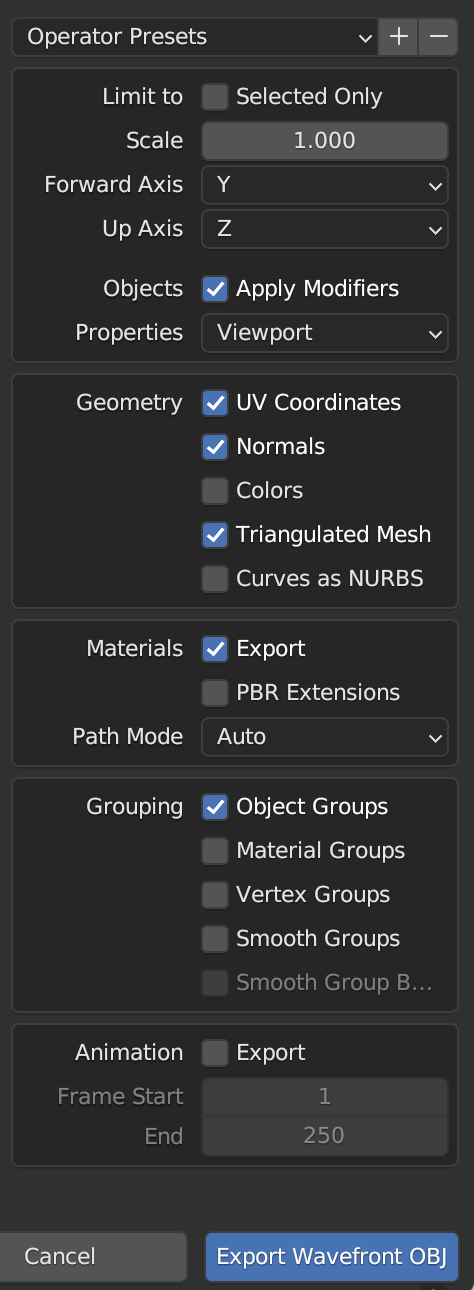
After you export the file, open the .mtl file and ensure that the file path for the texture is just <texture>.png, NOT /path/to/somewhere/<texture>.png