Models
Import GMO Models into Blender
Section titled “Import GMO Models into Blender”To import GMO models into Blender, you need to download the Noesis Model Viewer.
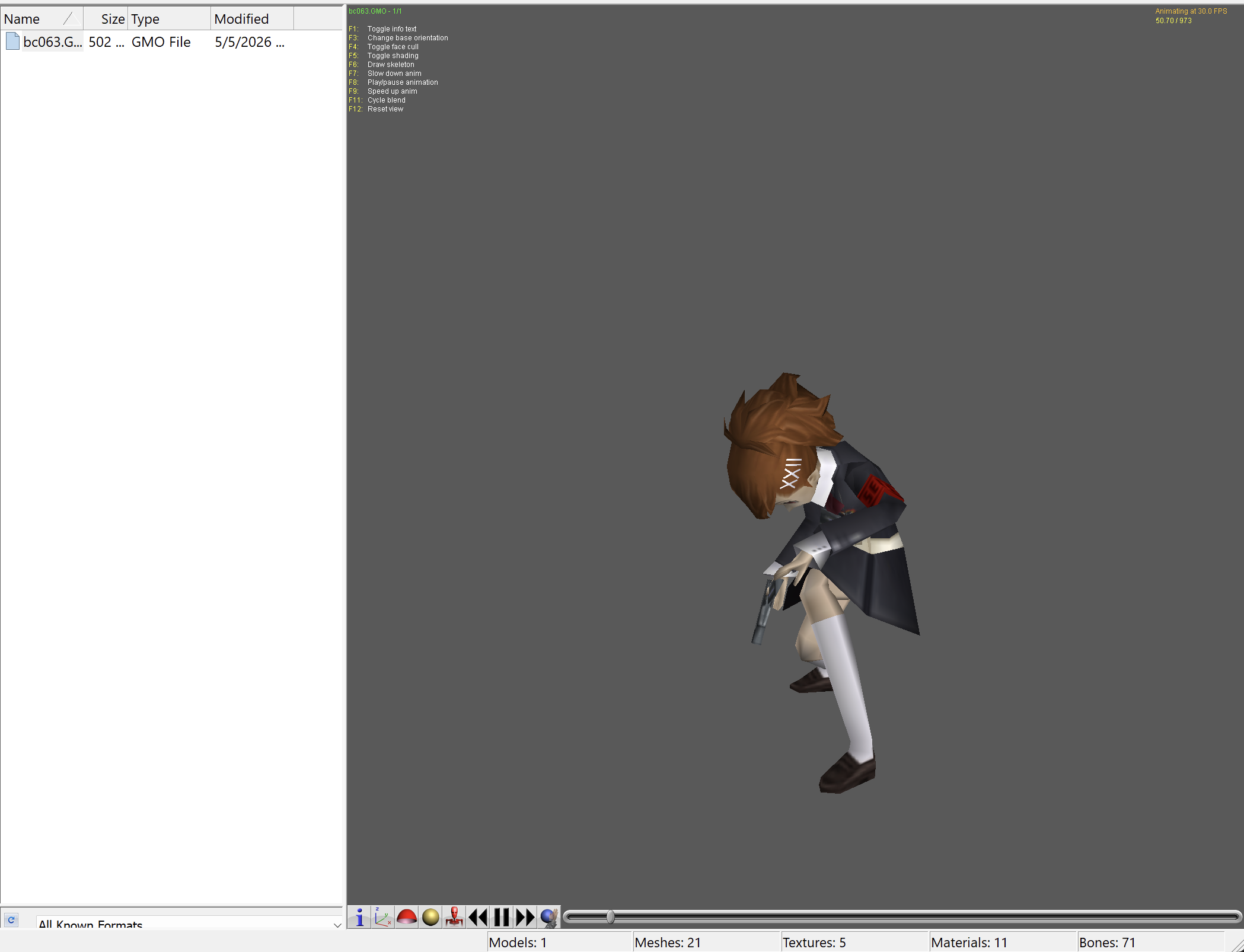
Open the GMO in Noesis. You should then see the model load in with textures and animations.
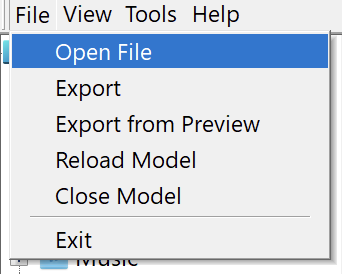
Now, export the GMO model as a .fbx file, with the -fbxmultitake -fbxtexrel -fbxascii advanced options.
-fbxmultitake: export the animations individually -fbxtexrel: export the animation paths relatively -fbxascii: export the fbx in a human-readable text format
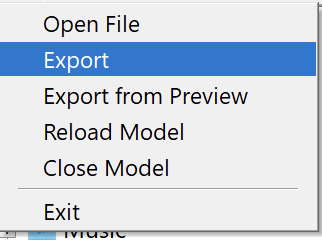
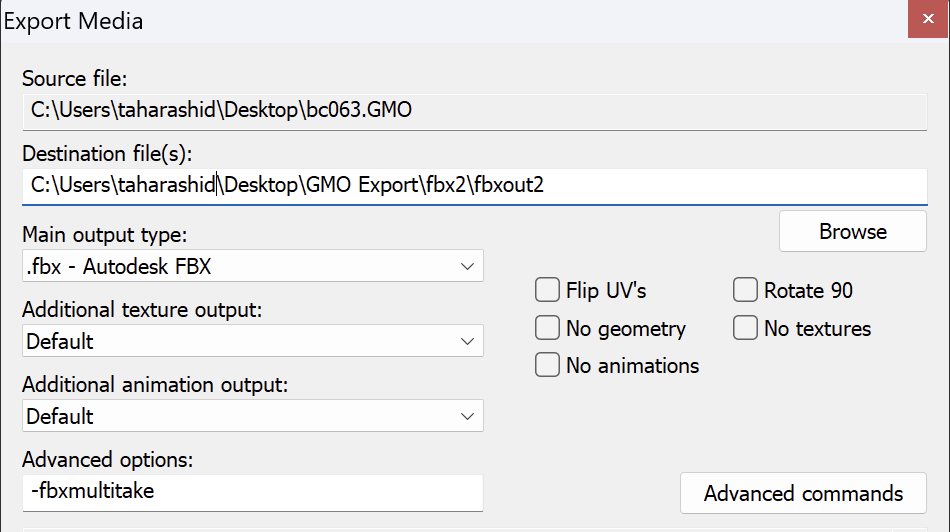
Once you have exported the .fbx, you are ready to import the model into Blender!
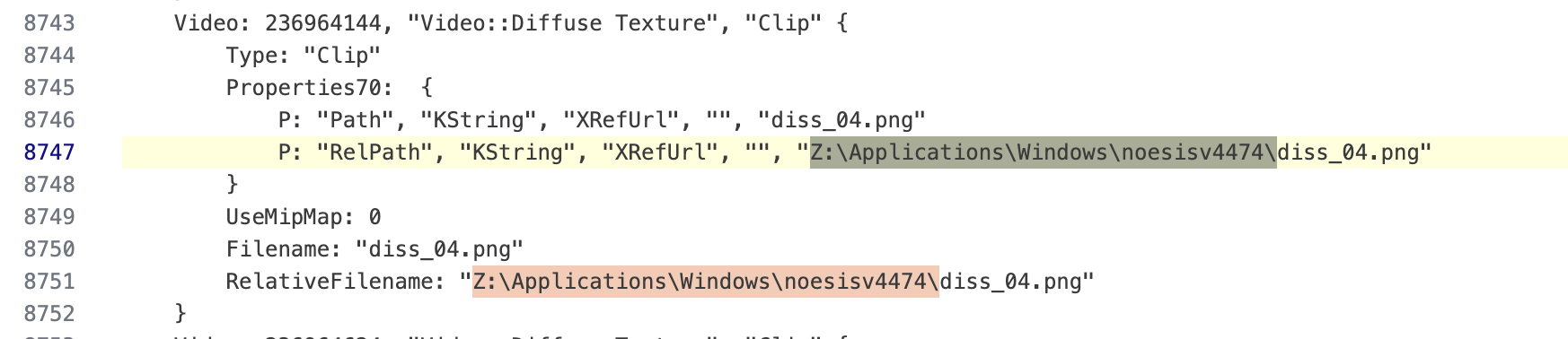
NOTE: If you run into an issue where the textures will not load, it is most likely they have the wrong path. This is a known issue when using Noesis via Crossover on MacOS. You will need to open the .fbx file in a text editor, and update all
RelativeFilenameandRelPathentries to ensure thatRelativeFilenamejust has file name (no path)
Optimize Models
Section titled “Optimize Models”To optimize character models, install the nds_model_optimizer.py Blender plugin in tools/plugins/blender.
To use the optimizer:
- Go into
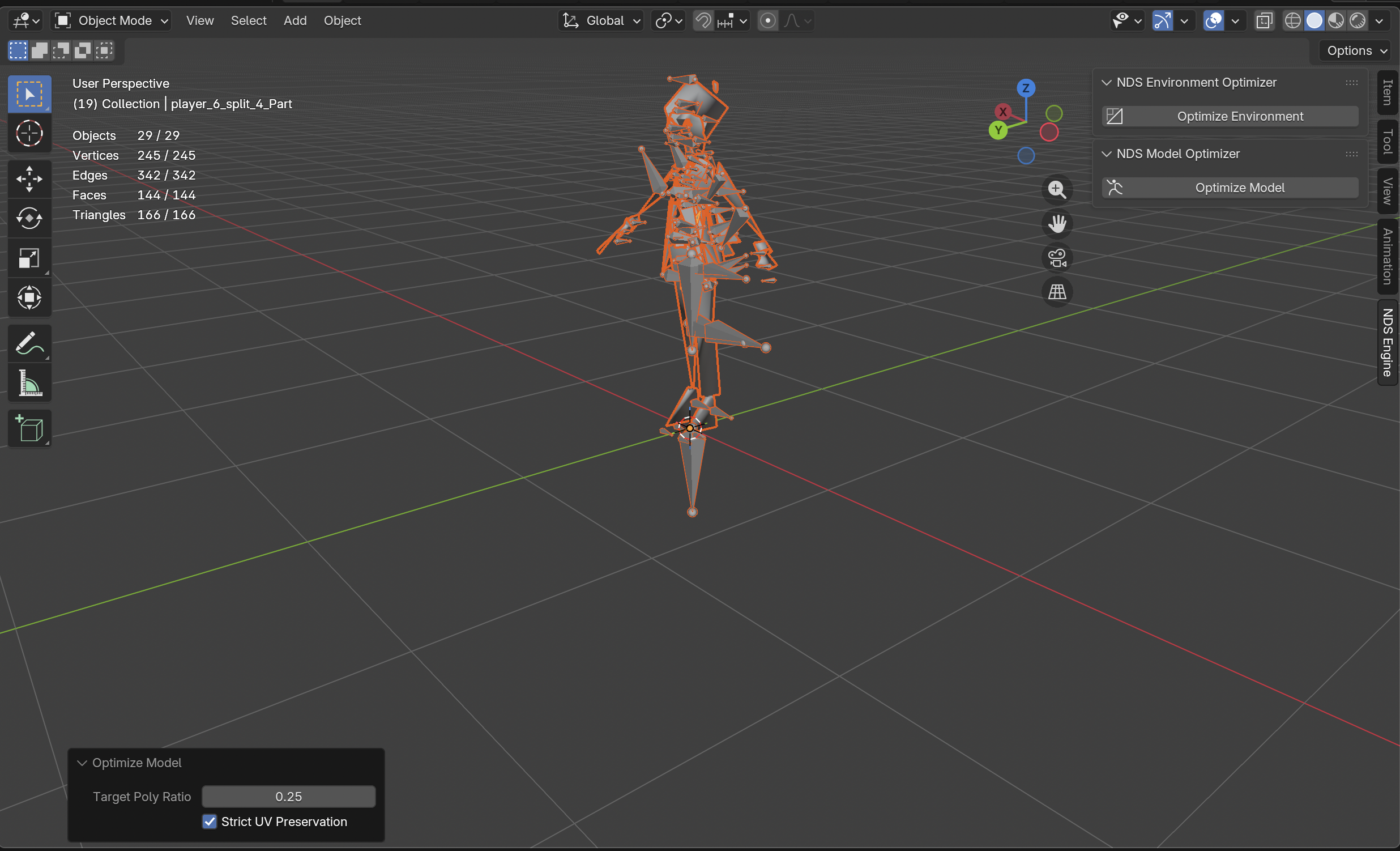
Object Modeand click “N”. On the sidebar, you should see a tab calledNDS Engine - Click that, and you should see a popup called
NDS Model Optimizerwith aOptimize Modelbutton - Now, select the entire model (A) and click
Optimize Model. This may take a few minutes - Once its down optimizing, on the bottom left of the viewport, there will be a dropdown called
Optimze Model. Click that to expand and modify optimization settings.
The most important options under Optimize Model are
- Target poly ratio: Modifying this value changes how ‘optimized’ the models become. The recommended value is around 0.70.
Export Models from Blender
Section titled “Export Models from Blender”To export models from Blender, you need to install and use our custom Blender extension. This extension can be found in tools/plugins/blender & is called nds_model_exporter.py.
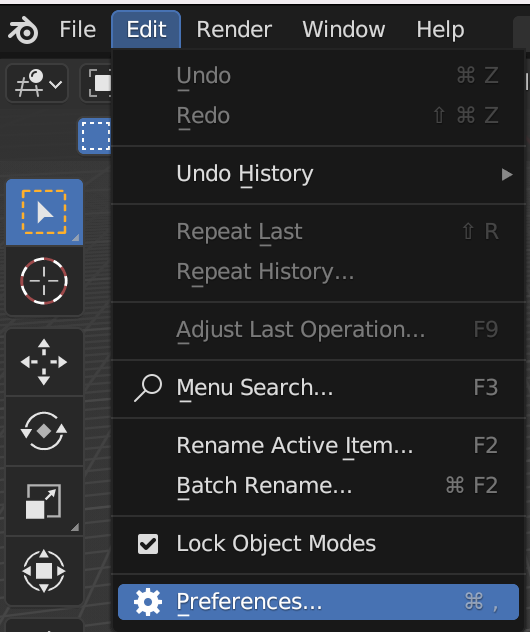
To install a Blender plugin, go into Edit -> Preferences.
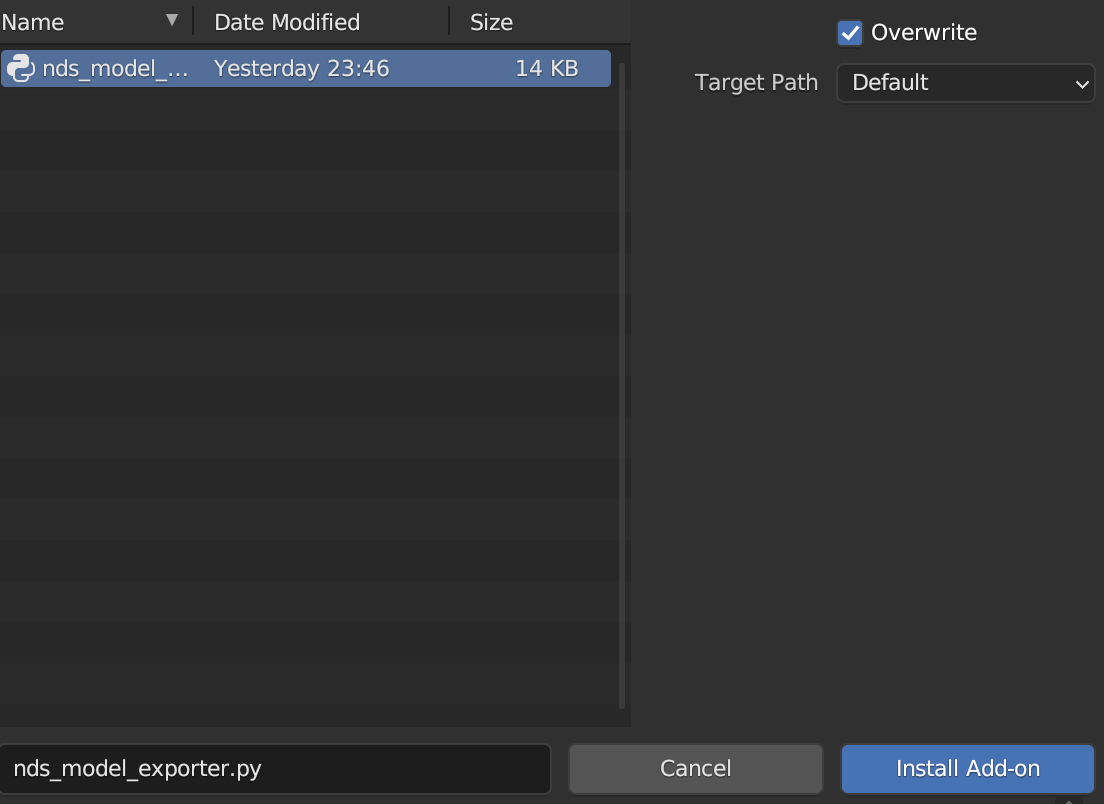
Click the Intsall button, navigate to your plugin & click Install Plugin.

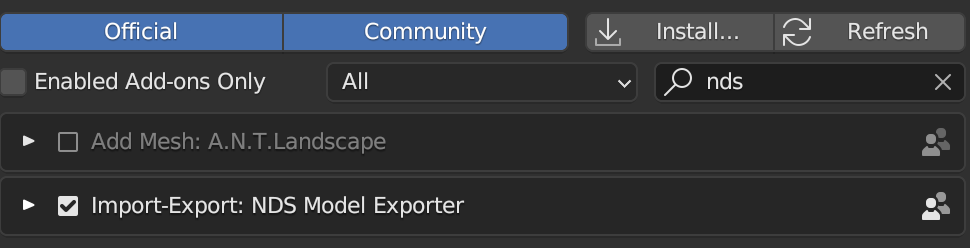
Once you have installed the plugin, you must ensure that the plugin is enabled (checkmark).
The plugin is now installed! To actually export your model, simply go to File -> Export -> NDS Model (.zip). Note that exporting may take some time.